Contents List
If you are wondering how to turn off Tumblr Safe Mode in 2026, then here is the easiest method for you. Tumblr is a well-known social networking platform where people share their creations. There you can also find NSFW (Not Safe For Work) content on Tumblr that you cannot find on the Internet easily. And to avoid that content, Tumblr introduced the feature Safe Mode. You will find it turned on default in one’s device. Here are the methods with which you can Turn Off the Safe Mode of Tumblr on different devices.
How to Turn Off Tumblr Safe Mode 2026
Points to Remember
- You cannot turn off the Safe Mode on Tumblr if you are less than 18 years old.
- The settings for Safe Mode do not sync with devices.
How to Turn Off Tumblr Safe Mode on an Android?
- First of all, get the Tumblr App from PlayStore, if not already installed.
- Once installed, open the App and tap on the Account icon.

- Now, tap on the Settings icon from the top-right corner.

- Then go to the General Settings option.

- And then select the Filtering option from there.
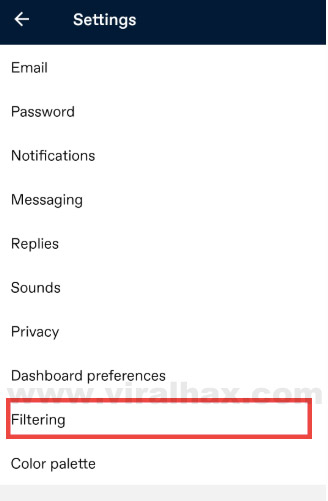
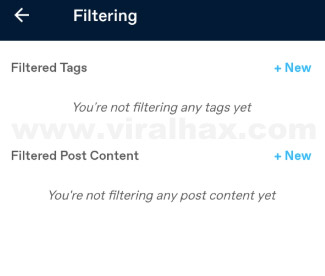
- Finally, you can see the filtered content there. You can set the settings according to you.
Also Checkout:- How to Convert ACSM to PDF | Online | Free
How to Turn Off Safe Mode on Tumblr on an iPhone?
- Firstly, get the Tumblr App from AppStore if you don’t have it on your device.
- Then open the Settings App.
- Once done, scroll down and tap on Tumblr.
- Now, under the Tumblr Settings, you will see the Safe Mode option. Tap on it.
- Select the Don’t Hide Anything option from there.
- It will turn off the Safe Mode from your iOS device.
How to Turn Off Tumblr Safe Mode on PC/Laptop (Windows/Mac)?
- First of all, Open Web Browser on your PC.
- Then visit https://www.tumblr.com/login and login to your account with your login credentials.
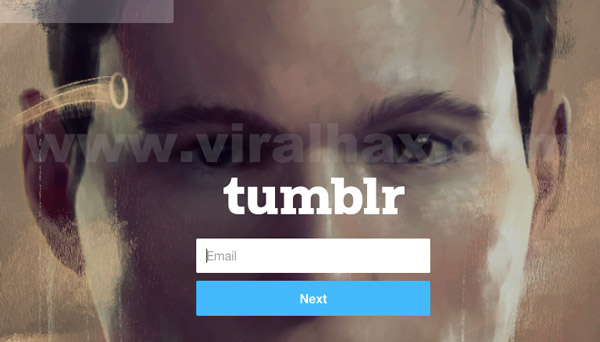
- After logging into your Tumblr account, click on the Account icon from the top right side of the page.
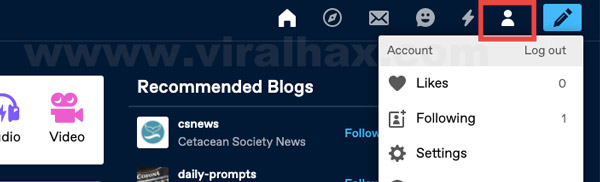
- Now, from the menu, click on Settings.

- Then go to the Filtering section.
- And then change the setting according to you from there.

How to Turn Off Tumblr Safe Mode Without Having an Account
Few websites allow you to access Tumblr’s content without an account. You can access your favourite blog with these websites.
- Tumblviewer
- Gramunion
- TumblrNSFWUpdate
Conclusion
So, this is how you can Turn Off Tumblr Safe Mode 2026. You can quickly turn off the Safe Mode of Tumblr from your Android, iOS device, or your PC as well. You can even access the NSFW content of Tumblr without an account with the help of websites mentioned above. So, that is it for this article. I hope it will help you. At last, thanks for visiting. Keep visiting.